Built for teams that ship
One place for the work that matters.
Maestro brings your tasks, calendar, and docs into one calm timeline. Keep the tools you have. We bring their output into time.
Start free trial See it in action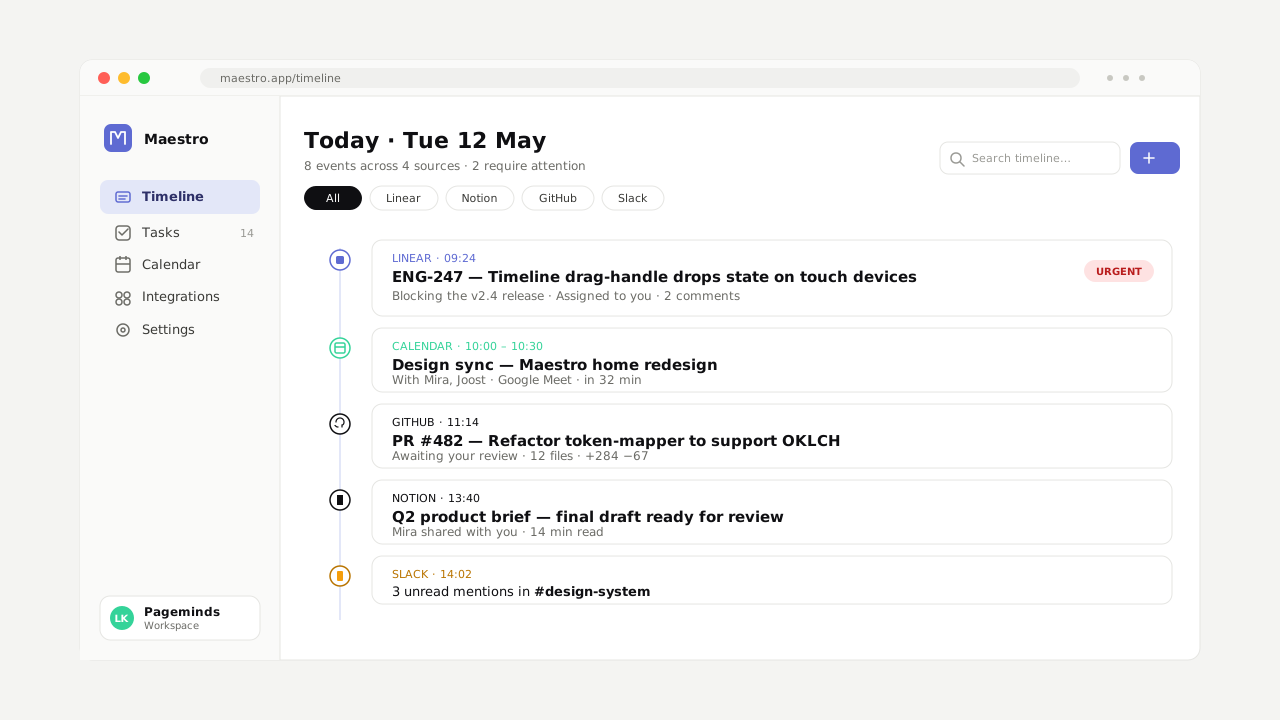
“Maestro is the rare productivity tool that makes your stack smaller, not bigger.”
“Quiet, opinionated, and refreshingly anti-platform.”
“The conductor a tool-overloaded team didn't know they were waiting for.”
“Anti-platform positioning, executed with calm precision.”
How Maestro works
Your tools are great. They just don't talk to each other.
Maestro is the conductor for your stack. It listens to the tools you already use and brings their output into one calm rhythm.
One screen. Every tool. Every role.
Linear, Notion, GitHub, Slack, Google Calendar — ordered by when work actually happens. Skim a week in fifteen seconds, drop into the source tool in one click.
Two-way sync
Change here, change there. Idempotent, conflict-aware, durable.
Calm digest
One batched summary, twice a day. You choose when. The pings stop fighting.
Focus mode
When a task is in progress, everything else mutes. Restores when you mark done.
Maestro AI
Ask what's blocking the release. It reads your stack — not the internet.
No migration
Disconnect any tool, any time. Your data never moved in the first place.
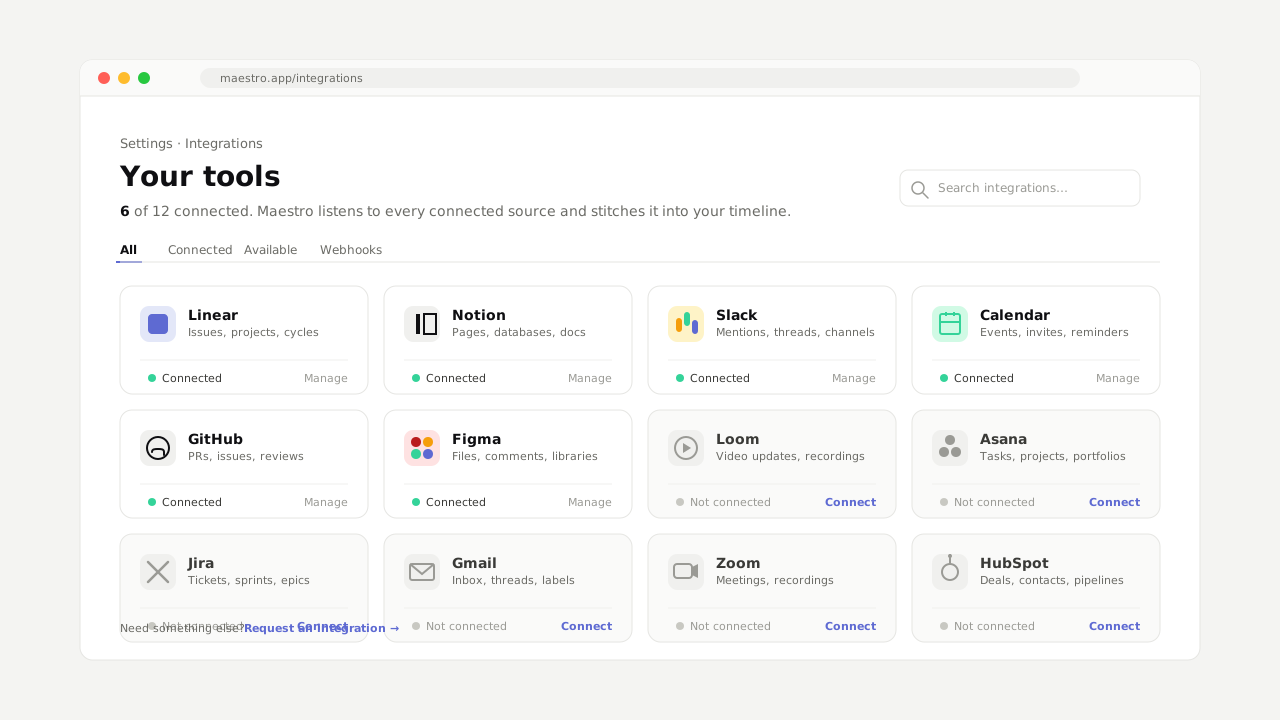
Connect in five minutes
OAuth into the tools your team already uses. Maestro reads what's there — tasks, events, docs, threads — and starts ordering them in time. No data leaves your tools. We don't store the work, we conduct it.
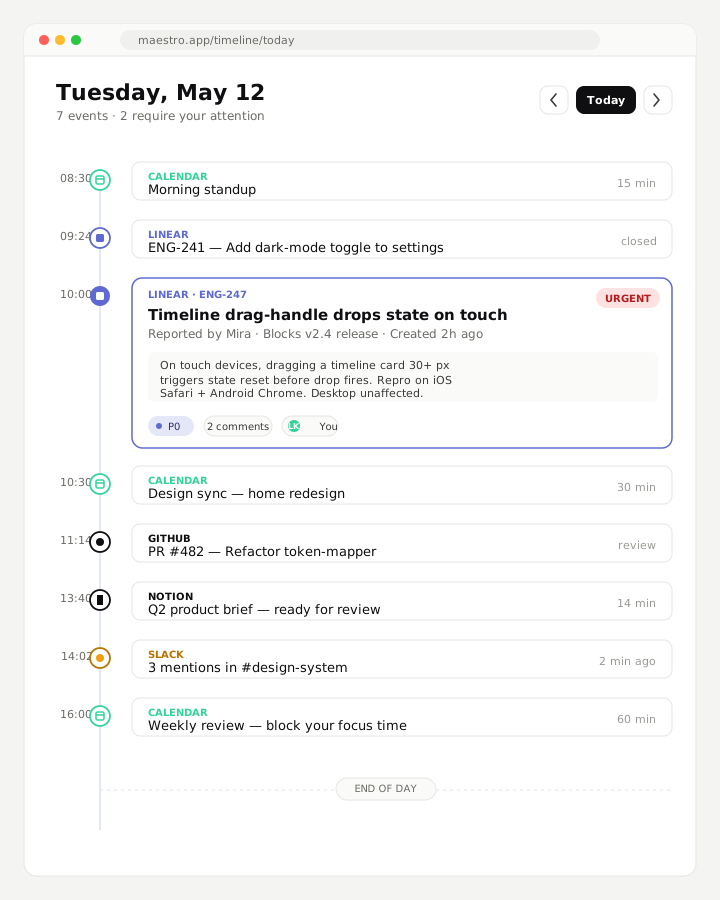
See your week, not your tabs
Today's standup, tomorrow's review, Thursday's deploy. Side-by-side with the tasks they belong to. Nothing dragged from one tool to another. Nothing forgotten because it lived in the wrong tab.
Decide together, in one place
Comment on a task, mention a teammate, change a status. The change is written back to where the work actually lives — Linear, Notion, wherever. Your single source of truth stays where it belongs.

faster context-switching
teams in 41 countries
tools, one timeline
uptime, last 12 months
“Calm. That's the word the team keeps using.”
Marcus Allen — Founder, Folio
“We stopped having the ‘where does this live’ conversation.”
Aiyana Ferreira — COO, Lattice Tea
“Two weeks in and our Slack noise dropped by half.”
Daniel Park — Eng Lead, Northwind
Pricing
Simple, per-seat, no surprises.
Start free. Pay only when your team feels the difference.
Solo
Free
Forever, for one
- Up to five tools connected
- Personal timeline
- Daily digest
- Email support
Team
€12 / user / month
Most teams pick this
- Unlimited tools connected
- Shared team timeline
- Comments and mentions
- Inline two-way sync
- Priority support
Enterprise
Custom
100+ seats, your security
- SSO and SCIM
- Custom data residency
- Dedicated CSM
- 99.99% uptime SLA